Kling V3 Turbo AI Video Generator
Kling V3 Turbo is built for creators who need faster iteration while keeping the cinematic motion quality, image-to-video control, and prompt-driven workflows associated with Kling 3.0.
Use text prompts or reference images to generate short AI videos for ads, social posts, storyboards, product shots, and rapid creative testing.
Introduction to Kling V3 Turbo
Kling V3 Turbo focuses on faster text-to-video and image-to-video creation for short-form production. It is useful when you need several prompt tests, composition variations, or client-ready drafts without slowing down the creative process.
The workflow follows the Kling 3.0 generator layout: choose text or image input, set duration and resolution, enable sound when needed, then generate a short AI video from your prompt.
Key Features of Kling V3 Turbo
Turbo Iteration Speed
Generate short video drafts quickly enough to compare prompts, camera language, timing, and visual direction before committing to final creative choices.
Text-to-Video and Image-to-Video
Start from a written scene description or upload a reference image when you need stronger control over the first frame, product, person, or visual style.
Cinematic Motion and Camera Prompts
Describe camera movement, subject action, lighting, framing, and scene atmosphere in one prompt to guide the generated clip.
Optional Sound Workflow
Enable sound when the concept benefits from audio, or keep the generation silent for editing, voiceover, music, or platform-specific post-production.
Kling V3 Turbo Use Cases
Ad Concept Testing
Create fast variations for product shots, lifestyle scenes, hooks, and short brand videos before final editing.
Social Video Production
Generate short vertical or landscape clips for posts, reels, thumbnails, and campaign experiments.
Storyboard and Pre-Visualization
Turn scene ideas into moving references for directors, editors, marketers, and clients.
Product and E-commerce Clips
Use image references and concise prompts to explore product motion, camera angles, lighting, and context.
Kling V3 Turbo Prompt Examples
Use these examples as starting points for text-to-video and image-to-video prompts, then adjust the subject, setting, camera movement, and style.
Cinematic Product Reveal
A premium skincare bottle on a reflective black surface, slow dolly-in camera move, soft studio lighting, floating water droplets, luxury commercial style, clean background.
Portrait Motion Clip
Use the uploaded portrait as the character reference. Add a subtle head turn, natural blinking, soft smile, warm window light, shallow depth of field, realistic motion.
Social Hook Scene
A creator walks into a neon-lit room, turns toward the camera, energetic handheld camera movement, bold color contrast, fast social media intro, cinematic but natural.
E-commerce Lifestyle Shot
Animate the uploaded product image into a lifestyle scene. Keep the product design consistent, add gentle camera movement, warm morning kitchen light, realistic shadows.
Storyboard Draft
Wide shot of a futuristic city street at dusk, a delivery robot moves through light rain, slow tracking shot, reflective pavement, cinematic sci-fi mood.
Travel Visual
Use the uploaded landscape photo as the first frame. Add drifting clouds, subtle camera push-in, golden hour sunlight, natural atmospheric motion, premium travel video.
Kling V3 Turbo vs Kling 3.0 vs Kling 4K
Choose the Kling video workflow based on whether you need faster iteration, cinematic storytelling, or higher-resolution presentation.
How to Use Kling V3 Turbo
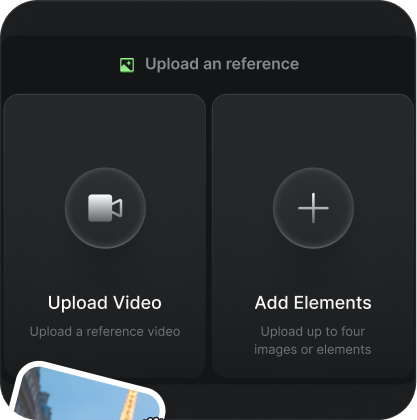
Choose Text or Image Input
Start from a prompt, or upload a reference image when you need the video to follow a specific subject, product, or first-frame composition.
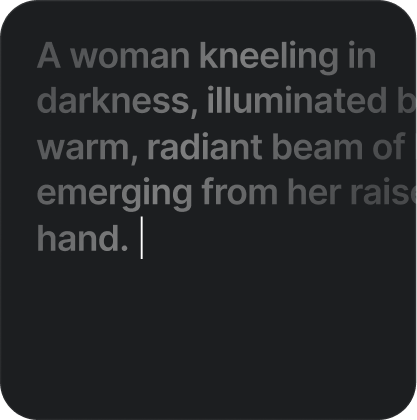
Write the Video Prompt
Describe the subject, action, camera movement, lighting, environment, mood, and any important visual constraints.
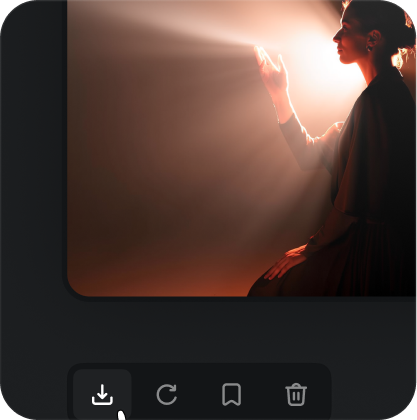
Generate and Refine
Set duration, resolution, and sound options, then generate the video and adjust the prompt when you need another version.
Kling V3 Turbo FAQ
Kling V3 Turbo is a fast AI video generation workflow for creating short videos from text prompts or reference images. It is positioned for quick iteration, draft creation, and production testing.
Start Creating with Kling V3 Turbo
Generate quick AI video drafts from prompts or images, then refine the result for ads, social content, storyboards, and product visuals.
Try Kling V3 Turbo