P-Video-Replace OnlineAI Video Object Replacement Tool
Replace the visible object, product, character, subject, logo, package, or prop inside an AI video scene while keeping the original timing, framing, camera path, and scene composition.
UPLOAD
JPG, JPEG, PNG
Max 10MB, Min 300×300px
Aspect ratio: 1:2.5 ~ 2.5:1
UPLOAD
MP4, MOV
Max 100MB, Min 3s
Max 20s
What Is P-Video-Replace?
P-Video-Replace is an AI video object replacement workflow for changing the visible asset inside an existing AI video scene. It is made for replacing products, characters, subjects, props, logos, packaging, and branded elements while preserving the source video's timing, camera path, framing, and scene layout.
Use it when a video concept already works but the item on screen needs to change. A product demo can become a new SKU test, a creator ad can show different packaging, a character scene can use a new avatar, and a social clip can be remixed with a different visual subject without rebuilding the whole sequence.
Replace Products and Props
Swap products, packages, labels, props, logos, and scene objects inside reusable ad takes, demos, and social videos.
Recast Characters
Replace the visible person, avatar, mascot, or fictional character while keeping the same scene rhythm and composition.
Scale Video Variants
Generate product swaps, localized ad versions, character tests, and object replacement variants from one proven video structure.
P-Video-Replace vs P-Video Animate
P-Video-Replace is built for AI video object replacement, while P-Video Animate is built for motion transfer from a driving video to a still image. Use Replace when the main goal is changing what appears in the video, not simply animating a static image.
P-Video-Replace
Best for replacing a product, character, subject, avatar, mascot, or visual element inside a video-style scene. It keeps the original action, timing, camera movement, and composition so you can create a new version of the same video concept.
- Replace products in ad videos and product demos
- Recast characters, avatars, mascots, or visual subjects
- Create object replacement variants from one reusable scene
- Keep the scene structure while changing the visible subject
P-Video Animate
Best for animating a still image with motion, timing, and camera behavior from a driving video. It is useful when you start from a single image and want to turn it into a motion-driven clip.
- Animate a still image with a driving video
- Transfer motion to avatars, memes, or image-based characters
- Turn a single image into a video-style result
- Use when the source asset is mainly an image
P-Video-Replace Features
Object-Level AI Video Replacement
Replace the exact visible element that matters: a product, prop, logo, package, subject, mascot, avatar, or character inside an AI video scene.
Keep the Scene, Change the Asset
Keep the original shot structure, timing, camera angle, lighting direction, and composition while changing what appears in the frame.
Product and Packaging Variants
Turn one product demo or UGC ad into multiple SKU, package, label, colorway, and branded visual tests without reshooting the concept.
Character and Subject Recasting
Create alternate versions of the same scene with a different spokesperson, avatar, mascot, fictional character, or visual subject.
P-Video-Replace Use Cases
Ecommerce Product Replacement
Replace the featured item in a product video to test new SKUs, colors, packages, labels, bundles, or campaign visuals against the same shot.
Character and Mascot Recasting
Swap the on-screen subject with a different avatar, mascot, spokesperson, or fictional character while keeping the same scene rhythm.
UGC Ad Product Swaps
Reuse one creator performance and replace the product, packaging, prop, outfit, or branded object to produce more ad test variations.
Localized Visual Versions
Adapt one video structure for different regions or campaigns by replacing text-bearing packages, logos, hero objects, or visual subjects.
How to Use P-Video-Replace
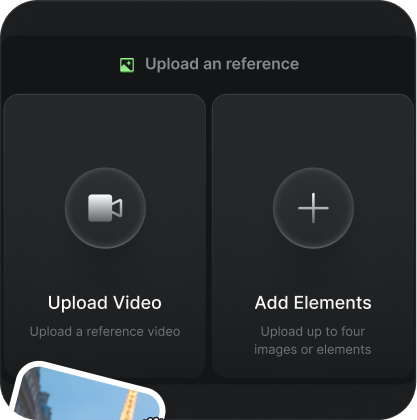
Upload the Video Scene
Start with the AI video scene, ad take, product demo, or social clip that contains the framing and action you want to reuse.
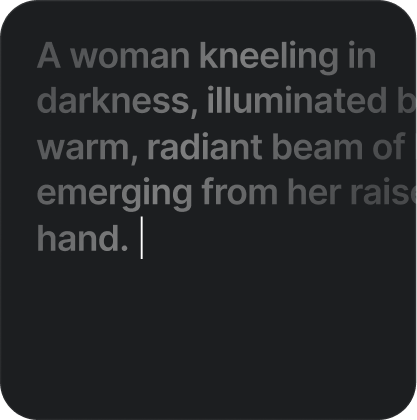
Add the Replacement Asset
Provide the product, character, logo, package, prop, avatar, or visual subject that should appear in place of the original element.
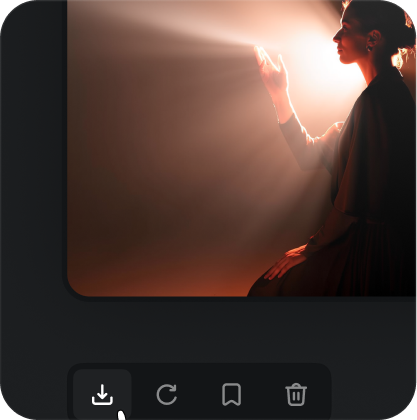
Export the Replacement Version
Generate a new version of the scene where the visible asset is replaced while the timing, camera view, and composition stay familiar.
Loved by Video Creators
Real feedback from teams using P-Video-Replace workflows for product swaps, character replacement, UGC ad variants, and social media video experiments.
"P-Video-Replace makes product variation testing much faster. We can keep one strong creator performance and explore different product visuals without rebuilding the entire video concept."
"The biggest win is speed. P-Video-Replace helps our team test subject swaps, packaging changes, and campaign variants while preserving the same motion rhythm and camera structure."
"I use P-Video-Replace for fast social remixes. When a motion idea works, I can try new characters or visual subjects while keeping the original energy of the clip."
"P-Video-Replace is useful during pre-production. It lets us preview product swaps and character replacement ideas before committing time to manual edits or reshoots."
"The workflow is practical for AI video experiments because it separates the replacement idea from the motion source. That makes iteration cleaner and easier to compare."
"For brand content, P-Video-Replace helps us reuse a successful video structure across different products and visual directions. It is a strong tool for campaign exploration."
P-Video-Replace FAQ
Start Creating with P-Video-Replace
Use P-Video-Replace online to create AI video object replacement workflows for products, characters, ads, and social clips.