Text to video
Create a video directly from a written prompt that describes the subject, action, scene, and motion.
MiniMax H3 is an open, general-purpose multimodal AI video model that understands text, images, video, and audio within one creative context. It can generate 2K video from a written prompt, animate a first or last frame, or use reference media to guide the subject, movement, camera, style, voice, and editing rhythm.
Instead of treating picture, motion, and sound as separate tasks, MiniMax H3 connects them as parts of the same direction. Combine a scene description with visual or audio references to create a more coherent result, then refine the video with focused instructions rather than rebuilding the concept from scratch.
Creators can produce 4-15 second MiniMax H3 videos for product ads, social content, cinematic concepts, character-driven scenes, and other short-form production workflows.
Supported input modes, camera controls, subject reference, and the asynchronous file workflow described by MiniMax.
Create a video directly from a written prompt that describes the subject, action, scene, and motion.
Use a first-frame image as the opening frame, then describe how the scene should evolve into motion.
Work with text, images, audio, and video in one creative flow. MiniMax H3 can use these inputs together, so a visual reference, written direction, and sound idea can support the same scene rather than becoming separate projects.
Refine visual details, sound, and story choices with direct instructions. This precise video editing control helps you focus on the part that needs attention while keeping the broader creative direction in view.
Treat audio as a creative input, not an afterthought. The MiniMax H3 video generator can consider sound alongside motion and imagery, making it well suited to scenes where atmosphere, timing, and storytelling depend on both.
MiniMax H3 is built for film, advertising, branding, ecommerce, gaming, and other content workflows. That range gives individuals and teams one model for concept exploration, visual development, and production-focused creation.
MiniMax uses an asynchronous request lifecycle for video generation.
Send the prompt and supported reference media. MiniMax returns a task ID for the asynchronous job.
Poll the task ID until the status changes from preparing or processing to success or failure.
Use the returned file ID to request a download URL, then save the finished video.
A focused workflow aligned with MiniMax's documented request lifecycle.
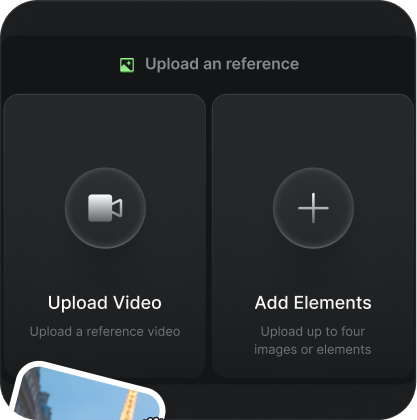
Start with text, a first-frame image, first and last frame images, or a supported subject reference image.
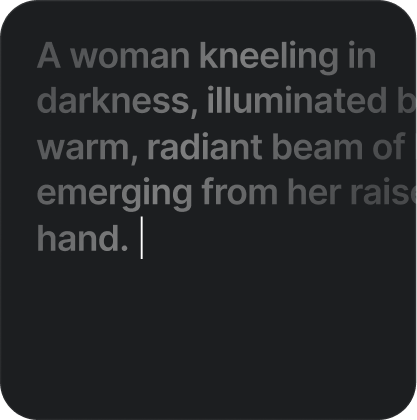
Choose a supported model, duration, and resolution combination, then submit the generation task.
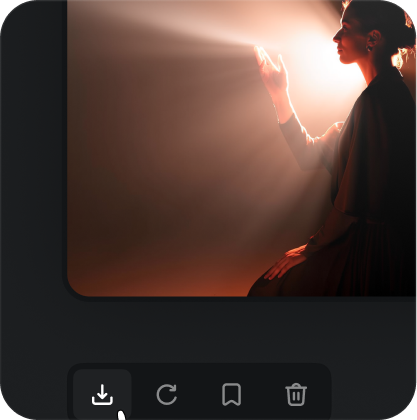
Check the task status with its task ID, then use the returned file ID to obtain the download link.
Choose MiniMax H3 when your video idea depends on more than a single text prompt and you want the main creative materials to inform one another.
MiniMax H3 treats text, images, audio, and video as related context. You can communicate more of the intended scene without reducing everything to words alone.
The model supports direction that reaches beyond visual generation. You can focus your feedback on the picture, sound, or story detail that needs another pass.
The MiniMax H3 AI video generator is designed for film, ads, brand work, ecommerce, games, and more. Its connected multimodal approach makes complex creative direction easier to express and refine.
From advertising and storytelling to commerce, gaming, and social content, MiniMax H3 supports a wide range of video ideas.
Develop product films, campaign concepts, and branded short-form scenes.
Prototype cinematic shots, trailers, story beats, and character-driven sequences.
Place products in controlled environments and demonstrate motion or use cases.
Create concept scenes, character moments, transitions, and promotional visuals.
Produce polished vertical or landscape clips for fast-moving content channels.
Compare their documented inputs, output formats, audio capabilities, and creative controls before choosing a workflow.
| Comparison area | MiniMax H3MiniMax | Seedance 2.0ByteDance Seed |
|---|---|---|
| Model focus | General-purpose multimodal video generation with text, image, video, and audio understood in one creative context. | Unified multimodal audio-video generation designed for controllable production and reference-led creation. |
| Reference inputs | Supports image, video, and audio references, with up to 12 mixed reference assets in a request. | Supports text plus up to 9 images, 3 video clips, and 3 audio clips in the documented workflow. |
| Output | Creates 2K videos from 4 to 15 seconds, based on the selected generation mode. | Creates up to 15-second, high-quality multi-shot videos with synchronized audio. |
| Audio | Generates native stereo audio as part of the video output. | Uses dual-channel audio for dialogue, ambience, sound effects, and music aligned with the visual rhythm. |
| Creative control | References character, motion, camera, style, voice, and editing rhythm from the supplied media. | Adds prompt-guided camera planning, targeted video editing, continuation, and complex motion control. |
| Documented emphasis | Unified multimodal context and flexible reference-to-video generation. | Complex interaction, multi-shot storytelling, subject consistency, and controllable editing. |
Get credits to generate animated videos with Kling Motion Control AI. All plans include motion extraction and transfer, image-to-video animation (up to 30s), full-body motion accuracy, HD export, and one-time payment with credits that never expire. The same credits run Kling 4.0, which generates up to 30 seconds at 720p, 1080p or 4K.
Choose one-time credits • Flexible billing options
Taxes may apply based on your location and will be calculated at checkout.
Frequently asked questions about MiniMax H3.
MiniMax H3 turns prompts and creative references into polished AI video for product ads, social clips, cinematic concepts, character scenes, ecommerce content, and other short-form production work.
Yes. MiniMax H3 generates video at 2K and can produce synchronized sound as part of the same creative workflow, including dialogue, effects, and scene atmosphere when they are described clearly.
The Reference mode accepts images, video clips, and audio files. Use them to guide character appearance, visual style, motion, scene structure, or sound while describing the intended result in your prompt.
Upload clear reference images or video showing the same character, then describe the identity, clothing, scene, and motion that should remain consistent. Clean, well-lit references give the model stronger visual guidance.
MiniMax H3 clips can run from 4 to 15 seconds. Available framing includes 21:9, 16:9, 4:3, 1:1, 3:4, and 9:16, with adaptive framing available for reference-based generation.
Choose Text to Video, Image to Video, or Reference, add the required media, write a specific prompt, select the duration and aspect ratio, then generate. Review the finished 2K video and download it from the result panel.
The credit cost depends on video duration and the reference media used. The generator calculates the required credits before you generate, so you can review the cost before starting the MiniMax H3 task.
MiniMax H3 can support ads, branded content, ecommerce, games, and other production workflows. Before publishing commercially, confirm that you have rights to every uploaded asset and review the current terms for your plan.
Create polished 2K AI videos with text, images, video, and audio references—all in one focused creative workflow.
Start Creating with MiniMax H3