USER GUIDE / PROMPT WRITING
Kling 4.0 Prompt Guide
Learn to describe a moving scene, direct its camera and keep its important details consistent. Explore prompt structure, references and examples for different kinds of video.
On this page
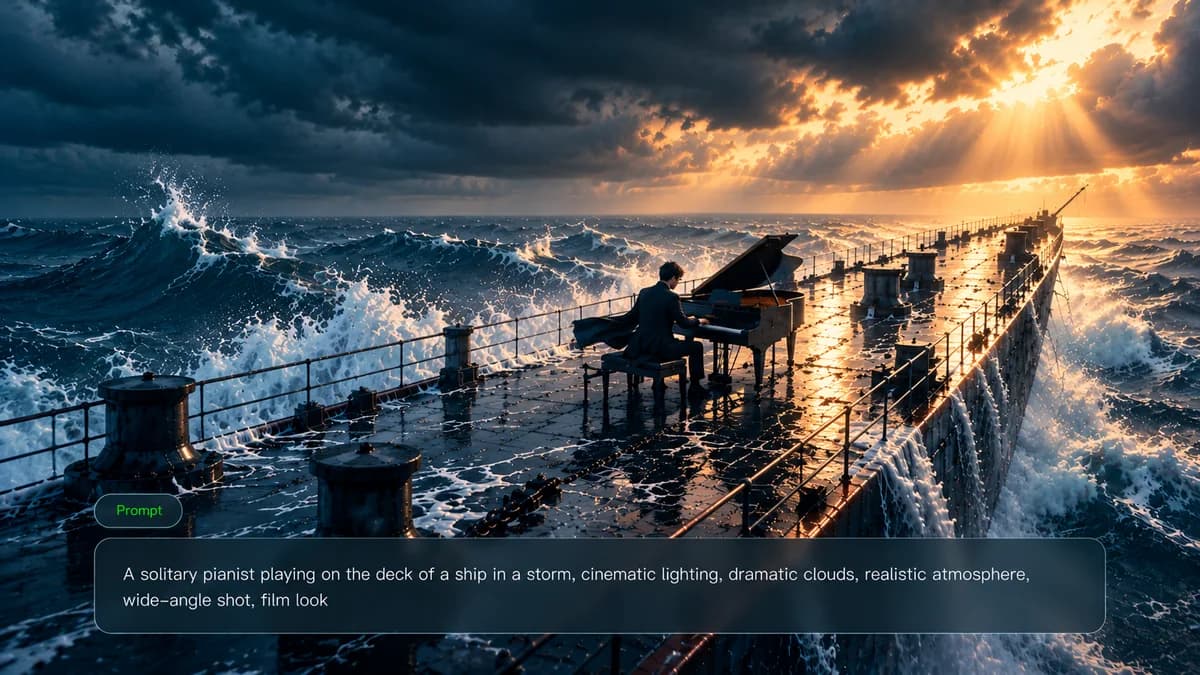
Knowing the image you want is only part of directing a video. The prompt also needs to explain the change: where a hand moves, what the camera reveals, when a person reacts and what the viewer should still recognize at the end.
Use the scene as your starting point, then add references and visual milestones where words alone leave too much open. Build the shot step by step, from its main subject to the details that need to stay consistent.
How to write a Kling 4.0 video prompt
Think of the prompt as instructions for a shot you could film. Begin with the main action, decide where the viewer watches from and work toward a definite ending. Descriptive detail earns its place when it changes that plan.
Before drafting, answer these questions:
- Which person or object should the viewer follow?
- What visible change happens during the shot?
- Which surroundings make that action possible?
- Where is the camera, and does it need to move?
- Where does the light fall?
- What visual treatment and rhythm fit the scene?
- What should still look the same at the end?
| Prompt element | What to describe |
|---|---|
| Subject | Identify the person, animal, object or place that the viewer should follow. |
| Action and motion | Give the main action a beginning and an end; include secondary movement only when it supports that action. |
| Environment | Locate the action in a particular space, with enough information about the surroundings to make the movement possible. |
| Camera | Choose framing, viewpoint and a camera path that leave the important action visible. |
| Lighting | Explain where the light comes from and which surfaces or expressions it should reveal. |
| Style and pacing | Choose a visual treatment and rhythm that suit the intended use of the shot. |
| Constraints | Name the appearance, objects and spatial relationships that should survive the movement. |
This text-only product example shows how to put those decisions together; it has no accompanying demonstration video:
| Prompt: On a dark studio counter, a clear fragrance bottle turns gently under a narrow rim light. The camera moves closer as a faint veil of mist crosses the background. Hold the same bottle shape and readable label throughout, ending on a still product view. |
Here, the rotation belongs to the bottle and the forward movement belongs to the camera. The mist supplies a separate background movement. The rim light has a visible purpose: it makes the transparent edge readable against the dark setting.
- Subject: one recognizable fragrance bottle.
- Action: a gentle turn that ends in a hold.
- Environment: a controlled studio surface and background.
- Camera: an approach that brings the product closer.
- Lighting: an edge highlight on transparent material.
- Style: restrained product photography.
- Constraint: the bottle and label stay consistent.
In text-to-video, the prompt must establish the scene as well as its movement. With an image-led workflow, the image already supplies much of the appearance; use the text to explain what happens next and what should survive the change.
A prompt-writing tool can help draft alternatives. Keep responsibility for the filming plan: remove any detail it adds that makes the action harder to see or contradicts the intended ending.
Use text, references and keyframes with Kling 4.0
Give each input a job. A reference can establish a face, garment, product or location; the written instructions can then concentrate on the performance. If two inputs disagree, say which one controls the disputed detail.
Kling 4.0 supports 3–30-second generation and up to 10 keyframes. Keyframes can mark visual milestones, while the prompt explains how the scene moves between them. A milestone should be reachable from the preceding action rather than an unrelated picture.
For dialogue, identify the visible speaker and give the line a place in the action. Review the generated speech and movement together, checking that each line belongs to the intended speaker and fits the available time.
On Kling Motion, use the editor settings guide to check available inputs. Frames mode requires an opening image and applies a duration-dependent frame allowance. References mode uses uploaded image and video tags to connect the prompt with the intended assets.
Read the Kling 4.0 user guide →Five video examples and a text-only character prompt
Each of the five videos has a prompt describing its visible subject and action. The character-story example is a separate writing exercise without a video. Choose a case by the scene you want to direct.
Cinematic AI Video Prompt
Video scene: a red sports car, a motorcycle camera operator, a roadside director and a stunt ending. Keep the chase, the filming-set reveal and the explosion connected through the same lead performer.
| Prompt: A fifteen-second action-film sequence on a coastal road at dusk. Open with quick close-ups inside a red sports car: the pedal, the driver and his hands on the wheel. Pull outward to reveal a motorcycle camera operator traveling beside the car. Whip toward a director beside the road, with crew and film lights visible. Cut back to the sports car as an explosion throws flames and debris behind it. Finish with the same lead performer rolling onto the road and rising into a low crouch in front of the burning car. Use energetic handheld movement and clear changes of shot size. Preserve the performer’s face, dark costume and the red car across the cuts. |
Why this approach helps:
- Close-ups establish the driver before the camera reveals the larger scene.
- The motorcycle operator and director explain the change in viewpoint.
- The same performer connects the car sequence with the final stunt.
| Reference & Prompt | Video Demo |
|---|---|
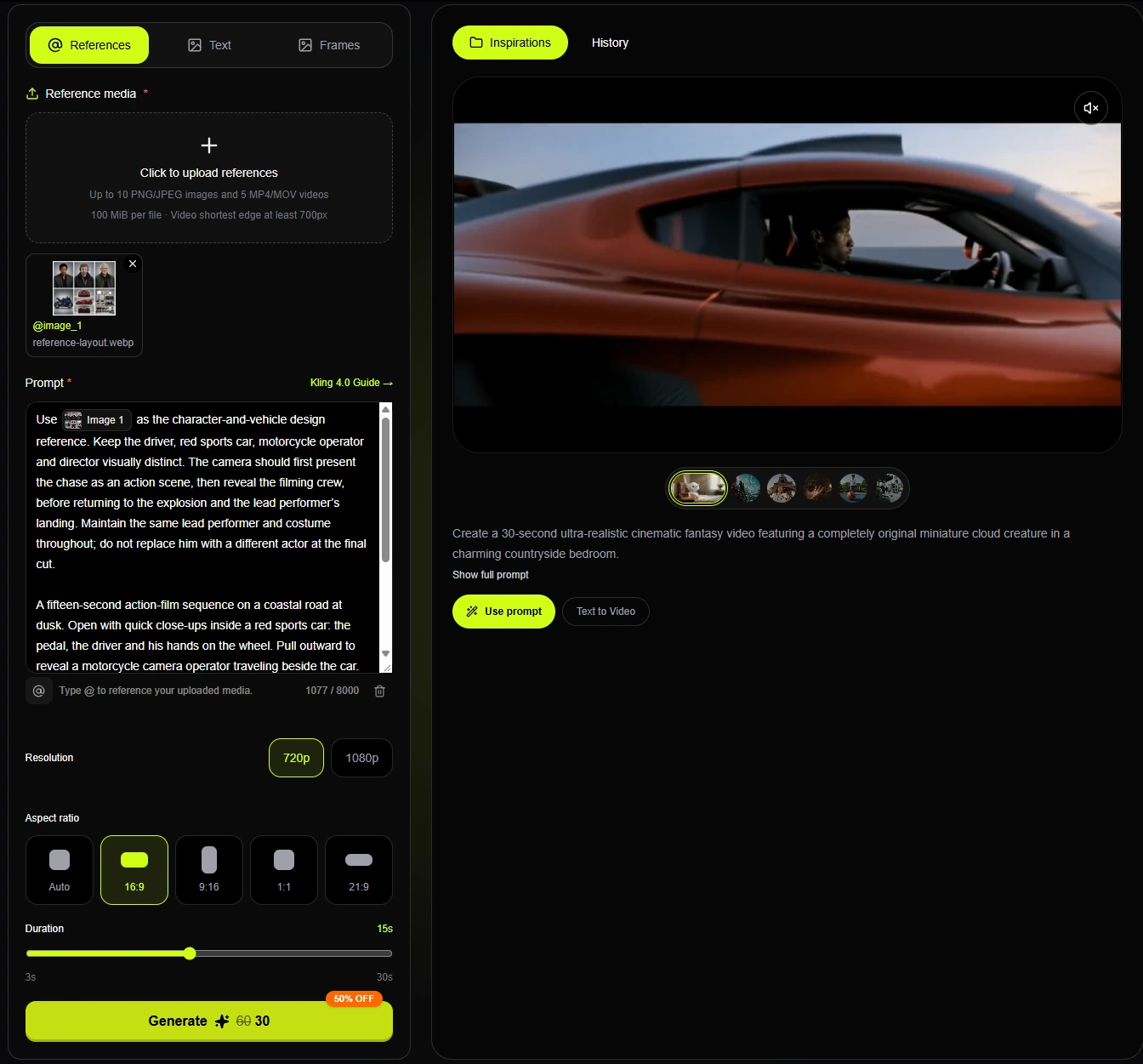
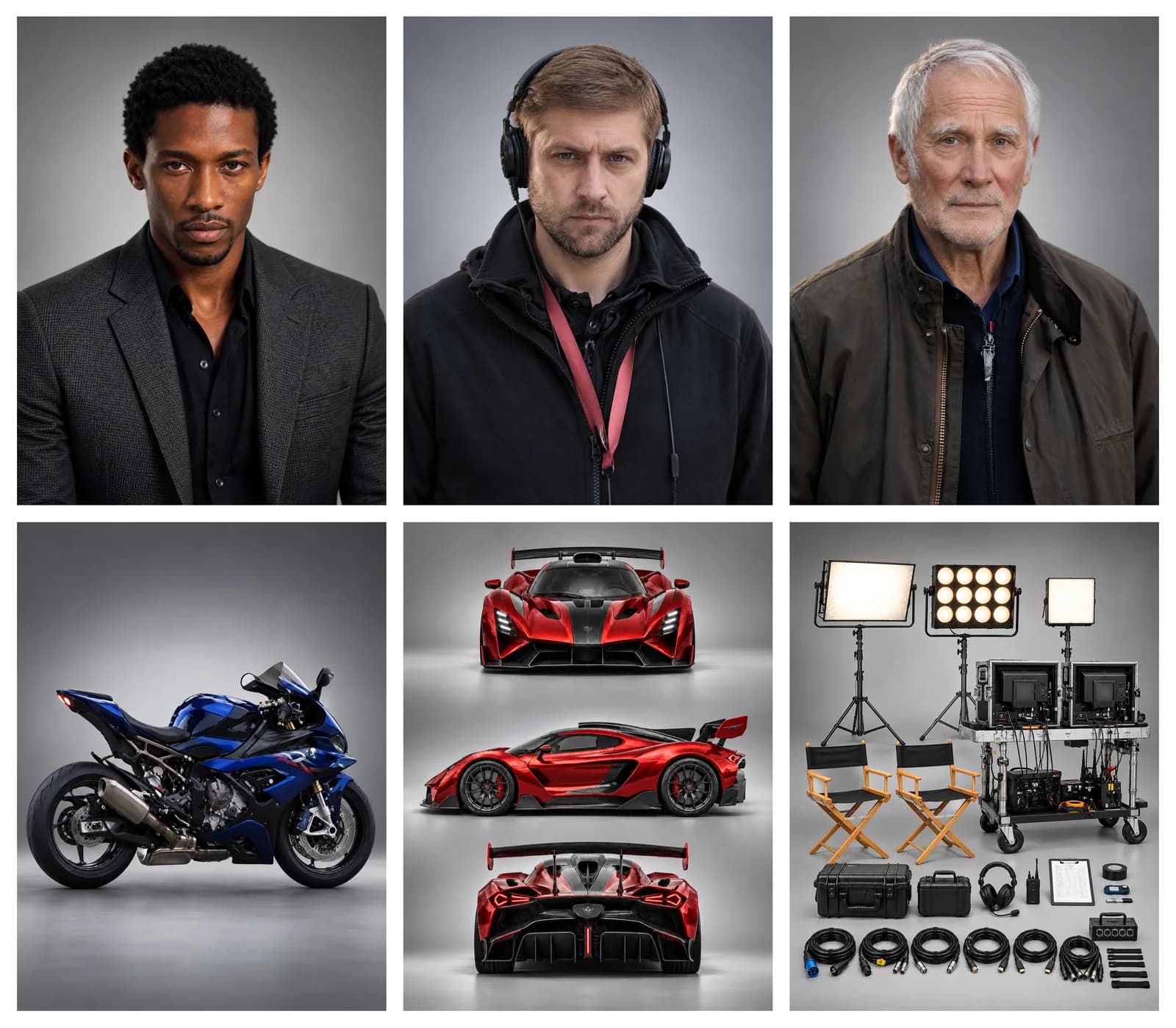 Prompt Use @image_1 as the character-and-vehicle design reference. Keep the driver, red sports car, motorcycle operator and director visually distinct. The camera should first present the chase as an action scene, then reveal the filming crew, before returning to the explosion and the lead performer’s landing. Maintain the same lead performer and costume throughout; do not replace him with a different actor at the final cut. | Video Demo |
Product Video Prompt
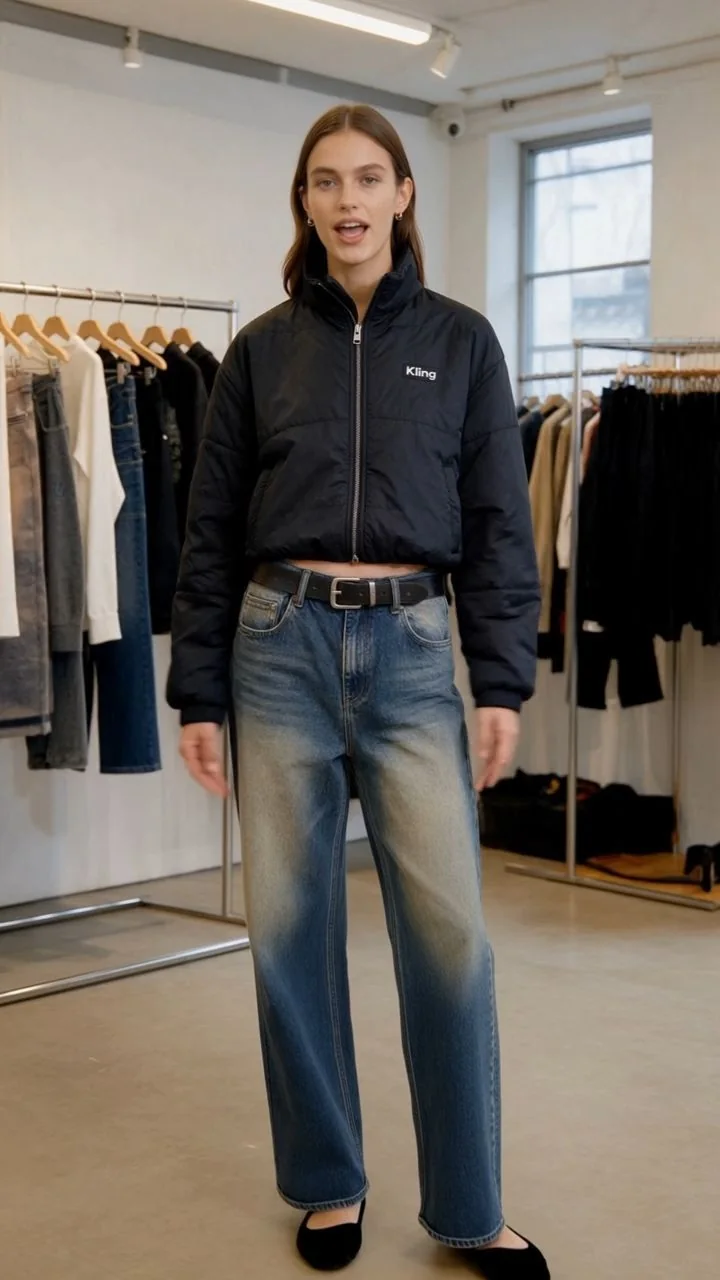
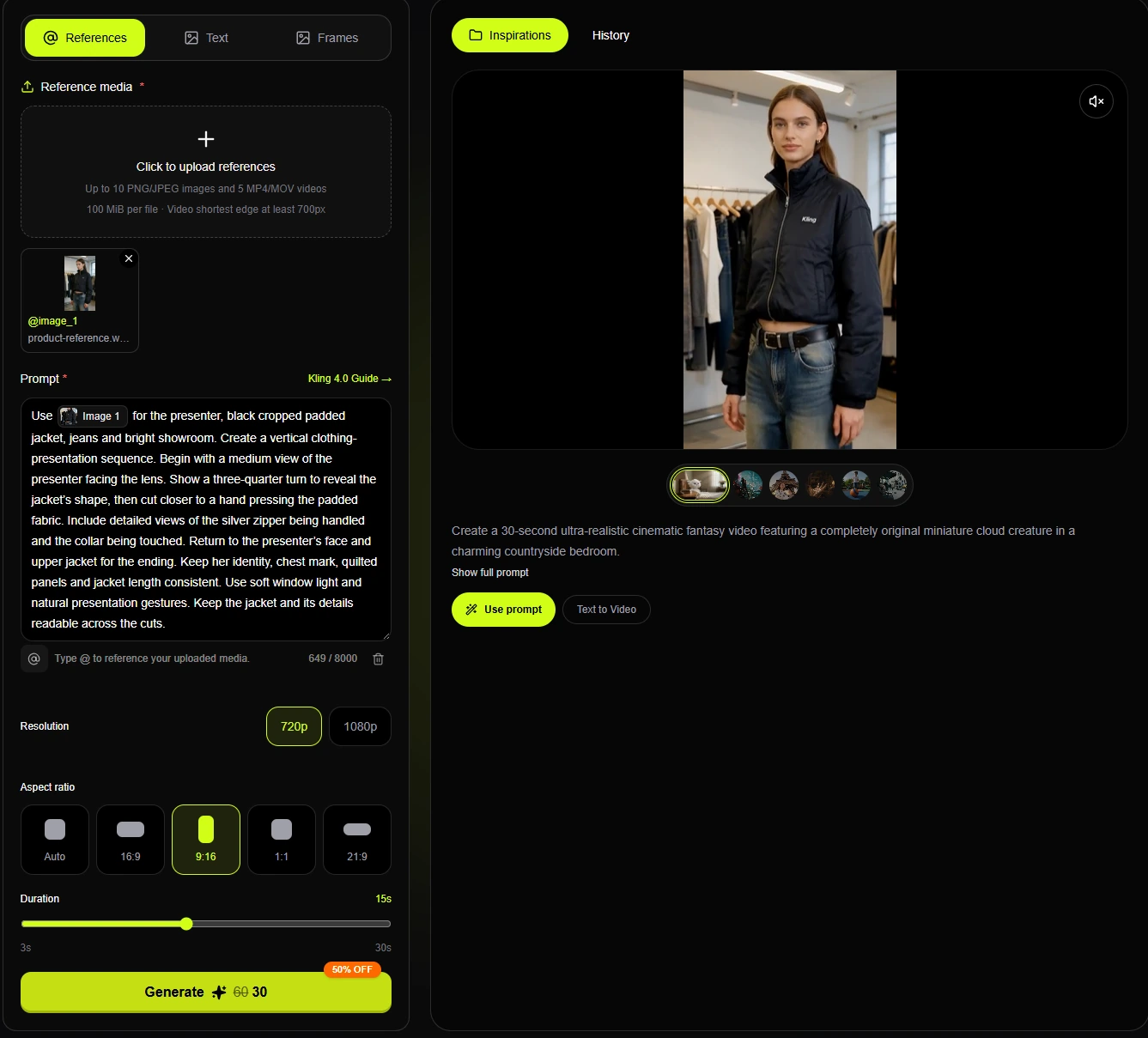
Video scene: a presenter demonstrates a black padded jacket in a bright showroom. The sequence changes shot size to show the fit, padded fabric, zipper and collar.
Why this approach helps:
- The presenter and garment remain the visual anchor across the cuts.
- Close-ups make the fabric and zipper easier to inspect.
- The final view returns to the presenter and recognizable jacket.
For clothing, assign the reference responsibility for identity and construction. The written action should show the garment without hiding its important features for the entire shot.
| Reference & Prompt | Video Demo |
|---|---|
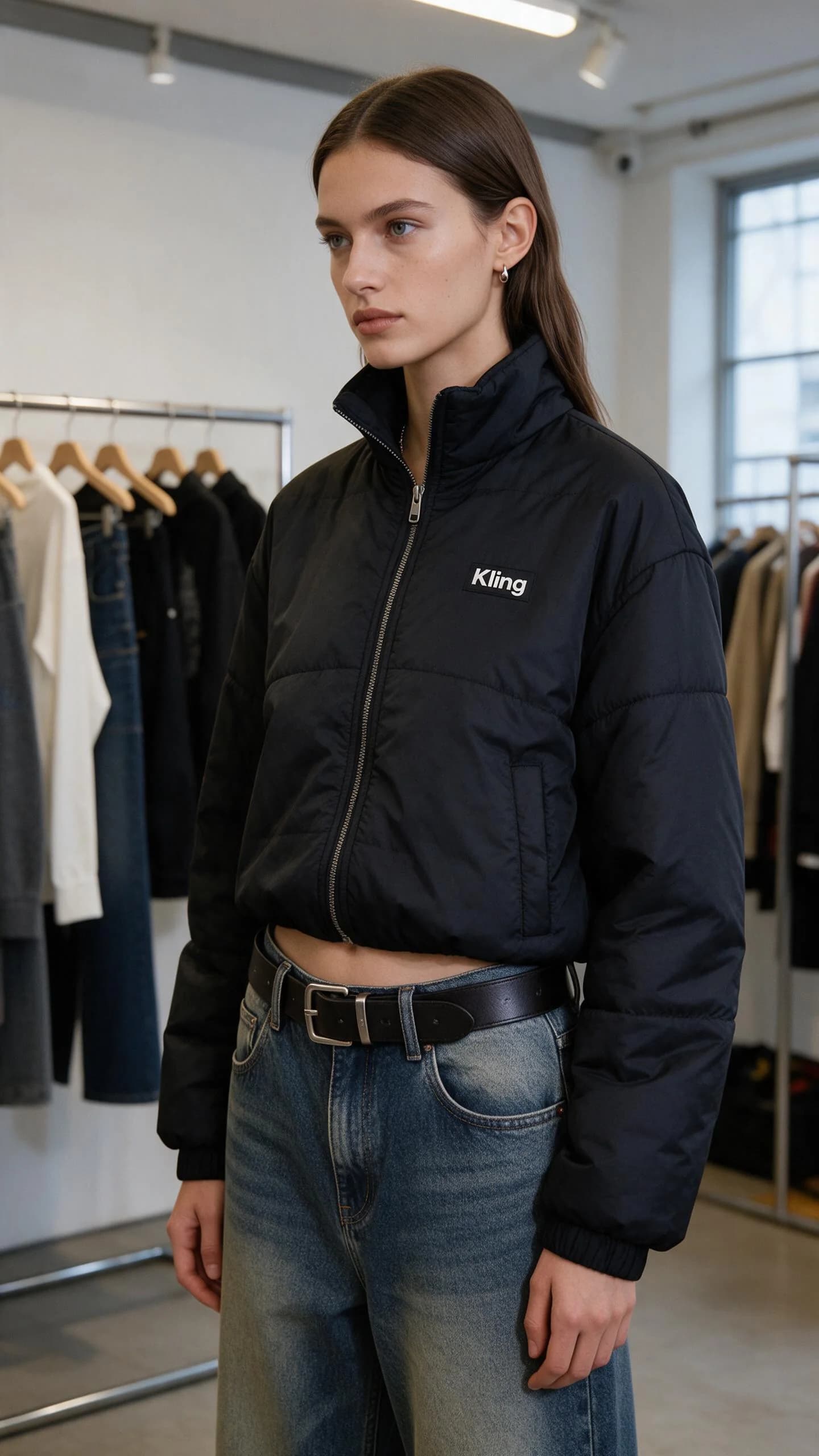 Prompt Use @image_1 for the presenter, black cropped padded jacket, jeans and bright showroom. Create a vertical clothing-presentation sequence. Begin with a medium view of the presenter facing the lens. Show a three-quarter turn to reveal the jacket’s shape, then cut closer to a hand pressing the padded fabric. Include detailed views of the silver zipper being handled and the collar being touched. Return to the presenter’s face and upper jacket for the ending. Keep her identity, chest mark, quilted panels and jacket length consistent. Use soft window light and natural presentation gestures. Keep the jacket and its details readable across the cuts. | Video Demo |
Additional text-only example: lipstick
Prompt: A closed lipstick case rests on a small mirrored plinth. The cap rises to reveal the lipstick, then the camera shifts just enough to show its tip and casing together. Use a soft reflection to reveal the finish. End with the same product color, shape and mark clearly visible.
Travel Video Prompt
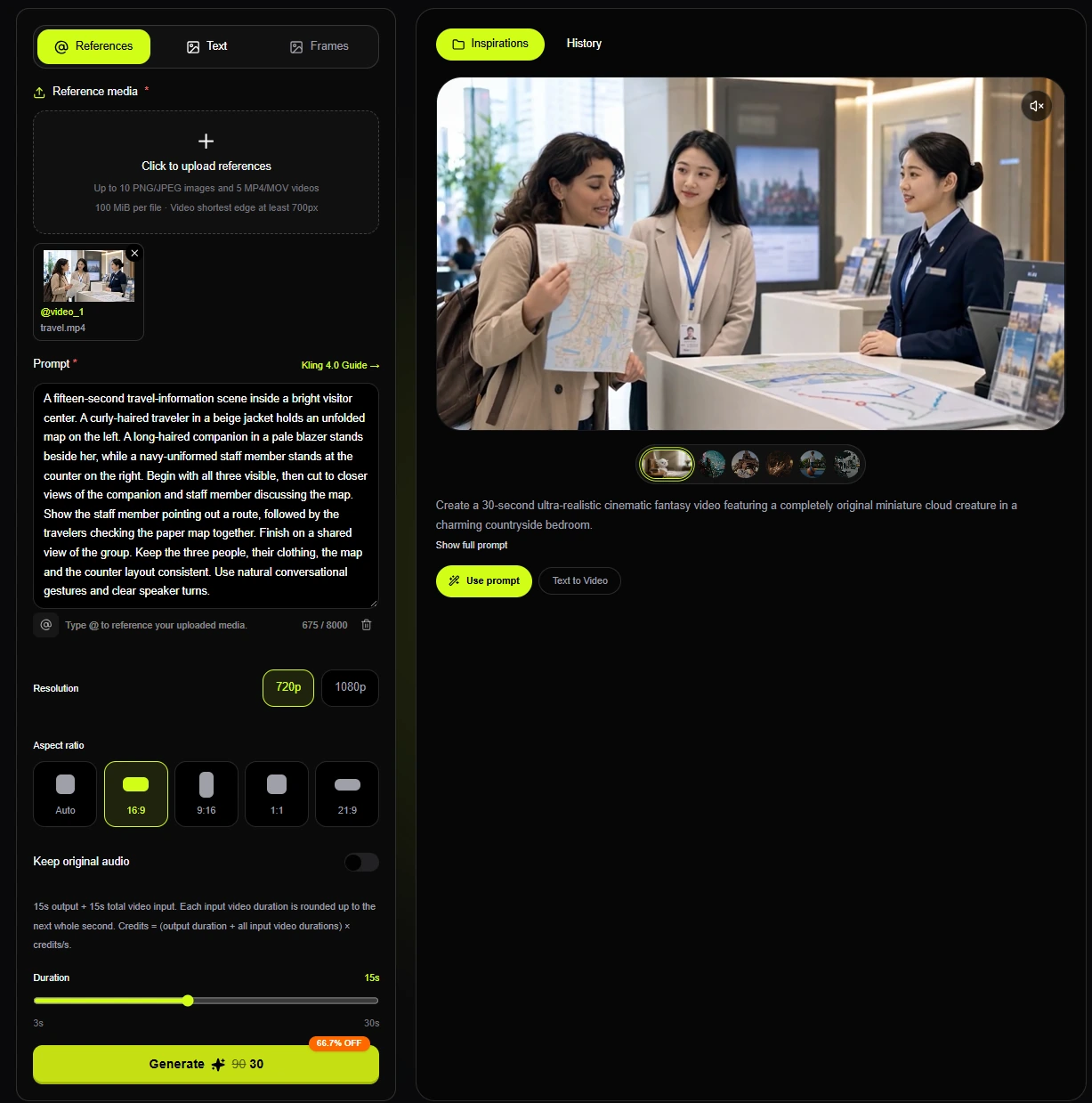
Video scene: two travelers discuss a map with a staff member at a visitor-information counter. Establish all three roles before using closer views of the conversation.
| Prompt: A fifteen-second travel-information scene inside a bright visitor center. A curly-haired traveler in a beige jacket holds an unfolded map on the left. A long-haired companion in a pale blazer stands beside her, while a navy-uniformed staff member stands at the counter on the right. Begin with all three visible, then cut to closer views of the companion and staff member discussing the map. Show the staff member pointing out a route, followed by the travelers checking the paper map together. Finish on a shared view of the group. Keep the three people, their clothing, the map and the counter layout consistent. Use natural conversational gestures and clear speaker turns. |
Why this approach helps:
- Position and clothing distinguish the travelers from the staff member.
- The map gives the exchange a shared focus.
- Closer views develop the conversation without changing the people or location.
Social Media Video Prompt
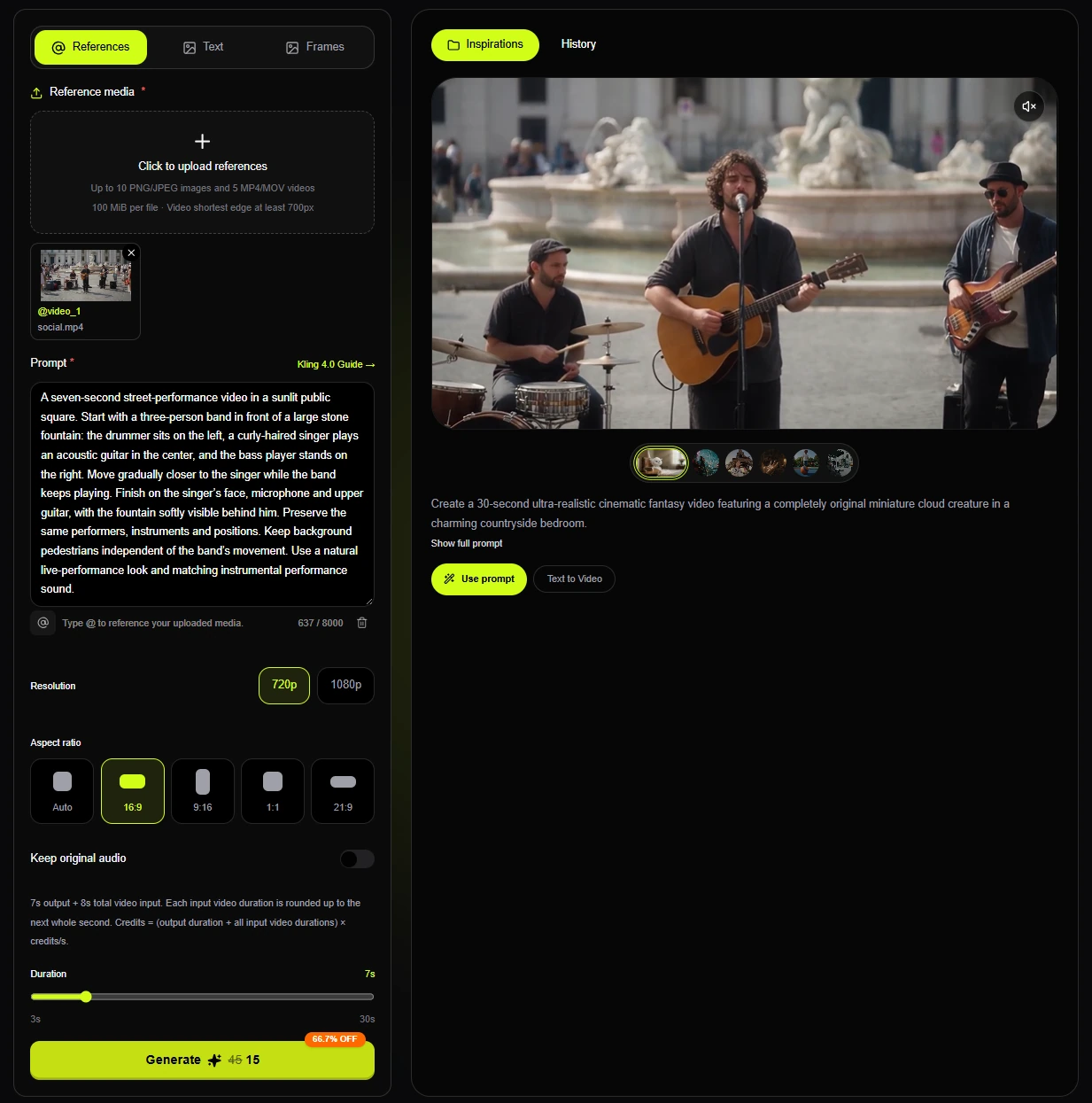
Video scene: a three-person band performs beside a fountain while the camera moves closer to the singer. Keep the performance easy to follow within a short clip.
| Prompt: A seven-second street-performance video in a sunlit public square. Start with a three-person band in front of a large stone fountain: the drummer sits on the left, a curly-haired singer plays an acoustic guitar in the center, and the bass player stands on the right. Move gradually closer to the singer while the band keeps playing. Finish on the singer’s face, microphone and upper guitar, with the fountain softly visible behind him. Preserve the same performers, instruments and positions. Keep background pedestrians independent of the band’s movement. Use a natural live-performance look and matching instrumental performance sound. |
Why this approach helps:
- The opening establishes the whole band and its location.
- The move toward the singer keeps one continuous visual anchor.
- The fountain and the other musicians preserve the setting as the framing tightens.
Advertisement Video Prompt
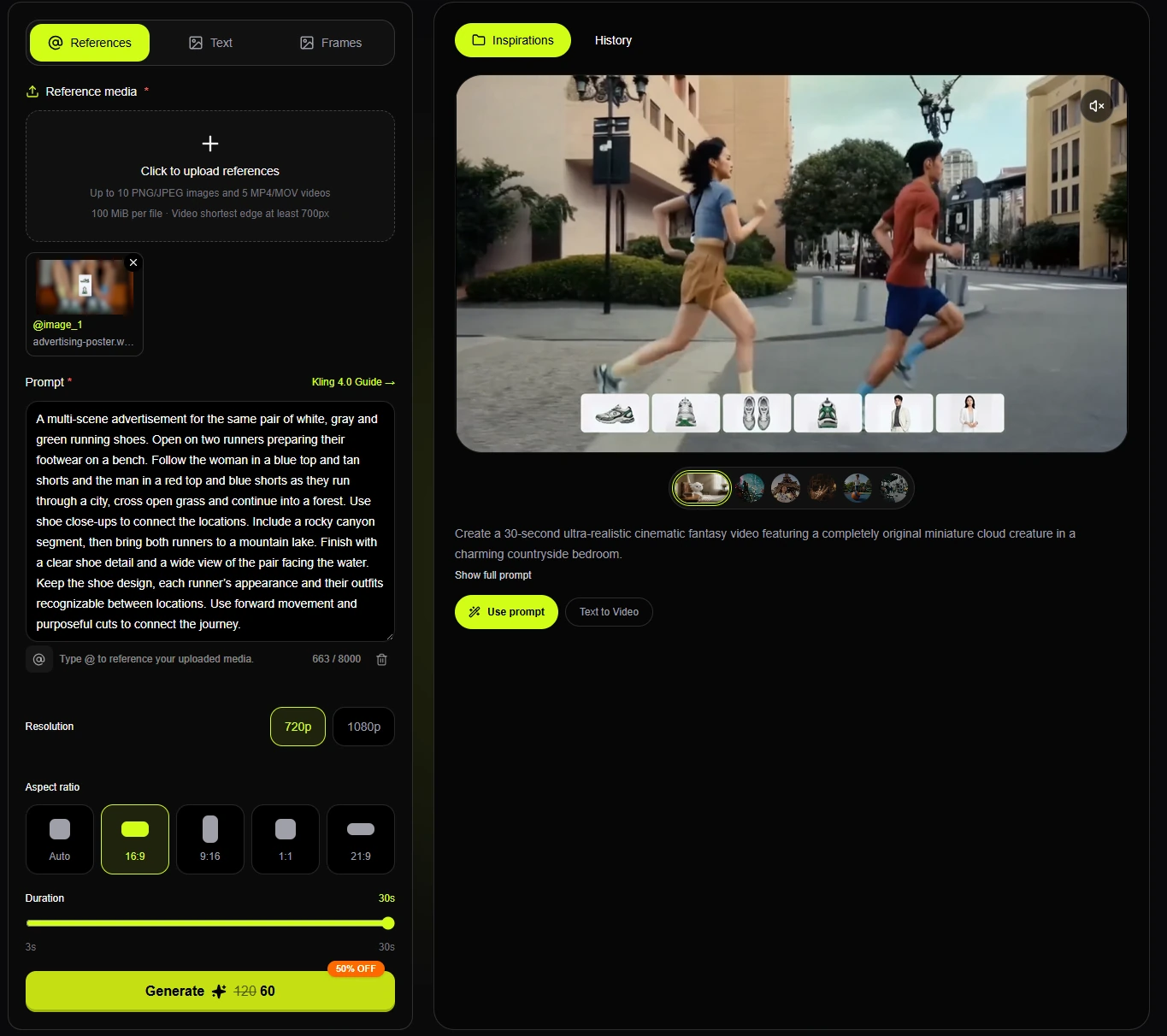
Video scene: a running-shoe campaign follows two runners from a preparation scene through the city, open grass, a forest, rocky scenery and a mountain lake. Repeated shoes and recognizable outfits connect the locations.
| Prompt: A multi-scene advertisement for the same pair of white, gray and green running shoes. Open on two runners preparing their footwear on a bench. Follow the woman in a blue top and tan shorts and the man in a red top and blue shorts as they run through a city, cross open grass and continue into a forest. Use shoe close-ups to connect the locations. Include a rocky canyon segment, then bring both runners to a mountain lake. Finish with a clear shoe detail and a wide view of the pair facing the water. Keep the shoe design, each runner’s appearance and their outfits recognizable between locations. Use forward movement and purposeful cuts to connect the journey. |
Why this approach helps:
- Preparation introduces the product before the journey begins.
- The same runners and shoes connect the changing locations.
- Product close-ups and the lakeside ending give the campaign a clear finish.
When a sequence needs more room, use the selected duration to budget the actions. Add keyframes for essential visual milestones where the editor supports them; do not expect written timestamps to behave like a finished editing timeline.
Additional text-only storyboard: a coffee advertisement
This separate writing example has no demonstration video. It is not a description of the running-shoe campaign above.
| Prompt: Build a quiet morning coffee advertisement: introduce the beans, show the preparation, follow the pour into a cup, then show the drinker beside a window. Close with the cup and packaging together. Keep the kitchen, cup and light direction consistent between shots. |
The five-shot plan below is a creative example, not a required Kling 4.0 interface format or a guarantee that every cut will occur at an exact second. If specific moments matter, use supported keyframe controls and review the generated timing.
| Shot | Camera & Duration | Scene Description |
|---|---|---|
| Shot 1 | Close-up shot, 2 seconds | Fresh coffee beans sit on a wooden kitchen counter in the morning light. The camera slowly moves closer, capturing the texture of the beans and the quiet start of the day. |
| Shot 2 | Medium close-up shot, 3 seconds | A person pours the coffee beans into a grinder and prepares a fresh cup of coffee. Natural hand movements, calm pacing, warm kitchen atmosphere. |
| Shot 3 | Close-up shot, 3 seconds | Fresh coffee flows into a ceramic cup. Steam rises gently as sunlight falls across the surface of the table. |
| Shot 4 | Medium shot, 3 seconds | The person sits by the window and takes a sip of coffee. Soft morning light fills the room, showing a relaxed everyday moment. |
| Shot 5 | Wide shot, 2 seconds | The coffee cup and product packaging appear together on the table. The scene ends with a clean composition that highlights the brand and the product. |
Character Story Video Prompt
Text-only example — no demonstration video. This section provides a character-writing brief rather than a paired video case.
Write a character as someone doing and noticing things. A recognizable face does not explain a reaction: give the performer a reason to look, stop, smile or change direction, and keep that reason visible in the scene.
For several shots, use the same identity reference and describe the details that should carry over. Assign dialogue to named speakers, leave space for reactions and check that the visible performance agrees with the voice. Keyframes can anchor a change of position or a turning point.
| Prompt: A twelve-second character scene in a quiet archive room. One archivist has a dark braid and wears a mustard cardigan over a white shirt. Keep her face, hairstyle and clothes consistent across the cuts.
0–4s: In a medium view, she sits at a wooden desk, opens a cream envelope and unfolds the letter inside.
4–8s: Cut closer to her face from the same side of the desk. Her eyes follow the letter, then pause as a small, restrained smile appears. Keep the letter in her hands.
8–12s: Return to the medium view. She folds the letter and sets it beside the open envelope and a framed photograph. Hold briefly on her quiet expression.
Keep the desk layout and window-light direction unchanged. Sound: paper movement, soft breathing and low room ambience. No dialogue, narration, added text or additional people. Treat the time windows as pacing guidance. |
Why this approach helps:
- Identity and performance have separate instructions.
- Actions explain the transitions between shots.
- Repeated details make continuity easier to review.
Three text-only prompt exercises
These optional writing exercises have no accompanying demonstration videos. Use them to practise one continuous viewpoint, a sequence of connected events, or a scene built from references.
1. Keep a continuous POV attached to one viewpoint
Vague direction: A canoe trip through a beautiful river.
Decide where the camera belongs before describing the view. A foreground object can show that the camera travels with the subject, while a route gives the movement a destination. Keep a continuous experience in one viewpoint instead of introducing an unrelated aerial cut.
| Prompt: An eight-second first-person view from a canoe moving along a narrow river. Keep the wooden bow visible along the lower edge of the frame. Approach a low stone footbridge, pass beneath its central arch and emerge into sunlight. The riverbanks move past on both sides while the camera rocks gently with the canoe. Hold the same forward-facing viewpoint throughout. Sound: water against the hull and a soft echo beneath the bridge. No cuts or added text. |
What to check in the result:
- The bow establishes where the viewer sits.
- The bridge creates a visible approach, passage and exit.
- Camera rocking belongs to the canoe rather than a separate flying camera.
2. Give a short story connected action beats
Vague direction: A cinematic video of someone repairing a bicycle.
Choose an outcome, then work backward through the actions needed to reach it. Repeated objects can connect the shots even when the camera changes position. Budget time for the result of an action as well as the action itself.
| Prompt: A 15-second bicycle repair sequence in a small daylight workshop. Keep one mechanic, one blue bicycle and one red toolbox consistent.
0–4s: A medium side view establishes the bicycle on its stand. The mechanic squeezes the front brake and inspects the cable.
4–10s: Cut closer as the mechanic makes a small adjustment with a hex key, releases the brake and spins the front wheel to check it.
10–15s: Return to the side view. The wheel comes to rest; the mechanic closes the toolbox and gives the bicycle a satisfied final check.
Maintain the bicycle’s orientation between shots. Sound: a tool click, the freewheel and quiet workshop ambience. No speech or new people. |
What to check in the result:
- Inspection, adjustment and checking all serve the same repair.
- The bicycle, toolbox and camera side connect the cuts.
- The final check gives the story a readable outcome.
3. Separate reference roles from character actions
Vague direction: Make two florists working together, like the reference.
Say whether a reference defines appearance, framing, movement or editing. When more than one person is present, use position and clothing to distinguish the roles. A shared task should explain why the characters interact.
| Prompt: Use @image_1 for the florist on the left in a green apron. Use @image_2 for the florist on the right in a cream apron. Use @video_1 only for framing and pacing; do not copy its cast or location.
A ten-second scene at a flower-shop workbench. The left florist places a bouquet on the table and holds its stems together. The right florist wraps a ribbon around the stems and ties it. Finish with both florists looking at the completed bouquet. Keep their positions, faces, aprons and the bouquet consistent. Frame both pairs of hands and the work surface. Sound: paper, ribbon and quiet shop ambience. No dialogue or additional people. |
What to check in the result:
- Each uploaded asset has one stated responsibility.
- Left and right identify who performs each action.
- The bouquet and visible hands connect the shared task.
For the reference-led example, upload suitable assets before generating and verify the tags in the editor. For the timed example, keep the selected duration at 15 seconds; written time windows guide the sequence but do not guarantee frame-accurate cuts.
Create a Kling 4.0 scene →A quick sheet for clearer Kling 4.0 direction
Use a phrase when it resolves a filming decision. Read the camera, performance and sound instructions together before combining them into a finished brief.
| What you need | Direction to specify | Example wording |
|---|---|---|
| A continuous first-person shot | Attach the camera to a viewpoint and retain a visible foreground object. | Keep the canoe bow in the lower frame while passing beneath the bridge. |
| An action without a moving camera | Describe the subject’s path separately from the camera. | The mechanic leans toward the brake; the camera stays in a locked side view. |
| A sequence with a clear ending | Give each beat a purpose and leave time to show its result. | Inspect, adjust and check; finish on the completed repair. |
| Distinct people in one scene | Assign positions, appearances and actions before adding performance details. | The green-apron florist holds the bouquet on the left; the cream-apron florist ties it on the right. |
| A reference with a limited role | State what carries over and what should be excluded. | Use the video for framing and pacing; keep the people and setting from the image references. |
| Sound that supports the action | Name the audible contact, ambience and any intended speech. | Retain the hex-key click and wheel sound with quiet workshop ambience; no speech. |
A practical revision pass
- Keep the first version. Save the prompt and settings so the next result has a useful comparison.
- Name one visible mismatch. Identify a specific moment, such as a hidden hand, a changed garment or a camera that leaves its intended path.
- Revise the responsible instruction. Adjust framing for a cropped action, reference roles for changed identity, or the action budget for an unfinished ending.
- Compare the complete results. Keep unrelated settings steady and check that the revision improves the target issue without losing the original action.
If the brief becomes longer after every attempt, remove repeated instructions before adding another one. Keep a short sentence stating the scene’s main action beside the detailed version.
Common prompt problems and how to fix them
When a result misses the idea, describe the failure before rewriting the brief. An observation such as “the hand leaves the frame before the cup lands” points to a useful revision; a general request for better quality does not.
| Common mistake | How to fix it |
|---|---|
| An unspecified scene | Choose a visible subject and a filmable action before adding mood words. |
| A description that stays still | Explain what changes between the opening and closing positions. |
| Several unrelated events in one shot | Select the main event or give the events separate shots. |
| Appearance left open to change | Assign reference roles and state which details must remain stable. |
| Camera directions that compete | Choose one physically possible path and an appropriate shot size. |
| Too much action for the duration | Budget time for movement, reactions and a readable ending. |
1. Leaving the scene unspecified
Words such as beautiful or cinematic do not establish a subject, action or viewpoint. Start by naming something the viewer can follow, then give it a specific task.
Example: A striking station scene.
Fix: Give the scene an observable action and a camera position.
| Prompt: A courier in a yellow coat walks beneath a station canopy carrying a square parcel. Track beside her at waist height, with the parcel and both hands visible. Late-afternoon light reaches the platform from the right. |
The parcel and coat make the subject easy to follow. The camera instruction protects the part of the action that matters.
2. Writing a still image instead of a moving shot
A list of objects can describe the opening frame while leaving the rest of the clip undefined. Write what changes in the body, object or surroundings.
Example: A fisherman on a pier.
Fix: Add an action that has visible physical consequences.
| Prompt: An older fisherman draws a rope through both hands on a wooden pier. His weight shifts backward as the line tightens; loose rope settles beside his boots. Hold a medium-wide side view so the hands, line and body movement remain visible. |
The tightening line gives the hands and body a shared cause for movement. The camera position leaves that relationship visible.
3. Asking one short shot to contain several scenes
A doorstep arrival, a vehicle journey, an indoor conversation and a final landscape each need time to establish a new place. For a brief clip, choose the event the audience should remember.
- Remove events that do not support that moment.
- Give a necessary location change its own shot.
- Make the hand-off between shots explicit.
4. Leaving continuity to chance
State which visual details are part of the identity of the scene. For a person this might be a face and coat; for a product it might be the shape, finish and label position.
- Reuse the intended reference for the same subject.
- Assign clothing or product details to the correct asset.
- Check the beginning, middle and end for unwanted changes.
5. Giving competing camera instructions
A locked viewpoint cannot also circle the subject. A very tight crop cannot show a whole room. Choose the framing that makes the action readable, then select a path that can maintain it.
Review the viewpoint, shot size and subject movement together. Remove the instruction that prevents the most important part of the action from being seen.
6. Ignoring the time needed for an action
Allow for approach, contact, release and a final hold. A gesture that sounds short in a sentence can involve several physical stages.
For a short clip:
- Choose one main action.
- Keep the subject easy to follow.
- Leave room for the ending to settle.
For a longer sequence:
- Give each shot a distinct purpose.
- Plan what connects one event with the next.
- Use visual milestones for transitions that matter.
Bring the shot together
Before generating, read the prompt as a complete physical action. Check that the subject can perform it, that the camera can see it and that the ending can happen within the selected duration.
Use references for details that need visual guidance and keyframes for important moments in the progression. After generating, watch the complete clip before deciding what to revise.
Create with Kling 4.0 →Frequently asked questions
How detailed should a Kling 4.0 prompt be?
Include the decisions needed to film the scene: the subject, visible action, setting, viewpoint and details that should stay consistent. Add a timeline when the order of events matters. Add reference roles when supplied assets control appearance or movement. More words help only when they resolve an actual ambiguity.
Does every Kling 4.0 prompt need timestamps?
No. A continuous shot can usually describe its route or gesture in a paragraph. Use time windows when several events must share the selected duration. Keep the windows compatible with the duration and treat them as direction to review, rather than guaranteed edit points.
How can I shorten a detailed prompt?
Keep the main action, camera plan, reference roles and continuity rules. Remove repeated mood words, duplicate constraints and background details that do not affect the shot. Read the shorter version from beginning to end to check that the intended action and ending are still clear.
What does an AI video prompt do?
It gives the generator a plan for a moving scene. A useful prompt explains what the viewer follows, what changes during the shot, how the camera observes it and which details should remain stable. Sound and speech can be part of that plan when the selected model supports them.
How should I start writing a video prompt?
Write one sentence describing a visible action. Add the place, framing and camera path, then specify the light and visual treatment. Read the result as a physical filming plan: can the camera see the whole action, and is there enough time to finish it?
Can a prompt work alongside an image?
Yes. An image can establish appearance and composition while the text directs movement. Focus the text on what happens next and what should survive that change. In the Kling Motion editor, choose References for source assets or Frames for timeline milestones.
Is a prompt-writing tool useful?
It can produce a first draft or suggest details you have overlooked. Review those additions before generating: remove invented objects, conflicting camera paths and actions that do not fit the duration. A fluent description still needs to be a shot you can evaluate.