Kling 4K AI Video Generator
Create sharp, cinematic videos for ads, social posts, product launches, and brand stories with Kling 4K. Turn a simple prompt or product image into polished 4K-style video content in minutes.
Try Kling 4K AI Video Generator NowUPLOAD
JPG, JPEG, PNG
Max 10MB, Min 300×300px
Aspect ratio: 1:2.5 ~ 2.5:1
Optional for text-to-video mode
UPLOAD
Optional end frame image
JPG, JPEG, PNG
Kling 4K supports both text-to-video and image-to-video. Upload a start image (and optional end image) or generate directly from prompt. Sound is enabled by default.
Billed duration is rounded up to the nearest second. Videos under 5 seconds are billed as 5 seconds.
Introduction to Kling 4K AI Video Generator
Kling 4K AI Video Generator is a simple way to create high-resolution AI videos from text prompts or images. You can describe a product scene, a lifestyle moment, a cinematic camera move, or a short brand story, and Kling 4K turns that direction into a visual clip.
You do not need lighting equipment, animation skills, or advanced editing experience. You only need a clear idea, a short prompt, and a few creative choices.
Mention the subject, setting, movement, mood, camera angle, and final use for stronger results. Kling 4K works best when your prompt is specific but easy to understand.
Key Features of Kling 4K AI Video Generator
High-Resolution Video Creation
Kling 4K helps users create sharp, polished AI videos for product ads, social media posts, landing pages, and brand campaigns. It is designed for creators who want professional-looking visual content without a complex video production process.
Text-to-Video and Image-to-Video Workflow
With Kling 4K, users can start from a simple text prompt or upload an image as a visual reference. This makes it easier to turn product photos, creative ideas, and brand concepts into engaging video content.
Smooth Motion for Visual Storytelling
Kling 4K can help create dynamic scenes with camera movement, product reveals, close-ups, lifestyle shots, and cinematic-style visuals. It is useful for making short videos that feel more active and eye-catching.
Fast Creative Workflow for Marketing Content
Kling 4K allows creators, ecommerce teams, agencies, and small businesses to test more video ideas in less time. Users can generate variations, refine prompts, and quickly prepare content for ads, social media, and websites.
Why Choose Kling 4K
Higher Visual Clarity
Generate cleaner and more premium-looking video output for product pages, ads, and campaign content.
Faster Creative Production
Describe the scene, upload a reference image, and generate a draft quickly instead of planning a full shoot.
More Creative Variations
Test multiple prompts, visual directions, and campaign ideas with lower creative cost.
Built for Performance Channels
Produce videos suitable for websites, product pages, YouTube, TikTok, Instagram, and paid ads.
Prompt-Driven Workflow
Control style, movement, mood, and camera angle from a simple prompt workflow.
Kling 4K AI Use Cases
Product Ads
Use Kling 4K to turn product images or simple product ideas into polished video ads. It works well for ecommerce launches, seasonal promotions, paid ads, and product detail pages.
Social Media Videos
Create short, eye-catching clips for TikTok, Instagram Reels, YouTube Shorts, Facebook, and X. Kling 4K helps creators test more video ideas without long editing workflows.
Ecommerce Visuals
Use Kling 4K to create product demos, lifestyle scenes, hero videos, and campaign visuals that make online shopping pages feel more dynamic and professional.
Brand Storytelling
Build cinematic brand clips, launch teasers, founder-style scenes, and promotional videos. Kling 4K helps brands communicate mood, value, and story through stronger visuals.
Real Estate and Travel Content
Generate atmospheric videos for property showcases, destination previews, hotel promotions, travel guides, and lifestyle campaigns with a more premium visual feel.
Education and Explainer Videos
Use Kling 4K to create simple visual scenes for course intros, training videos, YouTube explainers, presentation openers, and educational storytelling.
How to Use Kling 4K AI Video Generator
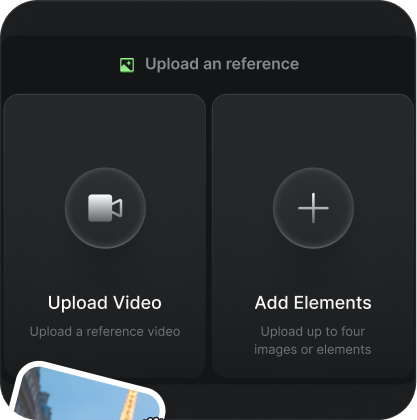
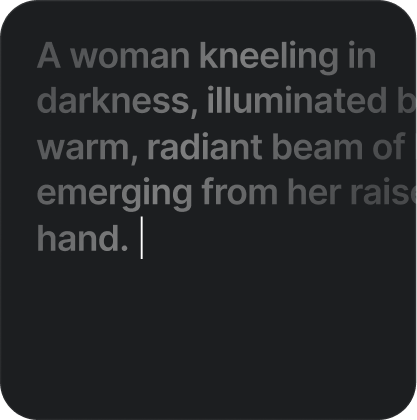
Step 1: Enter your prompt or upload an image
Start with a clear idea. Describe the subject, scene, lighting, camera movement, and mood. You can also upload a product photo, character image, or visual reference to guide Kling 4K.
Step 2: Generate and review the video
Let Kling 4K create your video based on the prompt or image. Review the result carefully, focusing on motion, clarity, subject consistency, and whether the video fits your intended use.
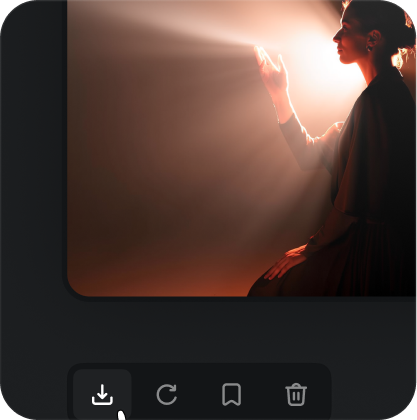
Step 3: Refine, download, and publish
Adjust your prompt, create more versions, and choose the best result. Download your final Kling 4K video and use it for ads, landing pages, ecommerce pages, social media, or brand campaigns.
Kling 4K AI Video Generator FAQ
Kling 4K AI Video Generator is a tool for creating high-resolution AI video clips from text prompts or images.
Ready to create your next video with Kling 4K?
Start with a simple prompt, upload an image if you have one, and generate a polished AI video for your brand, product, or social campaign today.
Try Kling 4K AI Video Generator Now