The Tiptoe Dance Takes Over
Small theatrical steps and expressive hands give the performance its comic rhythm.
Turn your photo into a playful tiptoe dance with an original fairy-tale character, vintage clothing and warm candlelight.
Your performer
Face the camera, one person, good light, face and upper body visible. No sunglasses or heavy filters.
Watch the movement, framing and reactions in these example clips. They illustrate possible variations; your generated performance may differ.
Small theatrical steps and expressive hands give the performance its comic rhythm.
An observer can add surprise to the scene. This studio accepts one lead portrait; background characters cannot be assigned a separate uploaded identity.
Straw, warm shadows and vintage textures frame the unusual performance.
A clear opening gesture and readable movement give a short edit its punchline.
Choose one clear JPG, PNG or WebP photo up to 10 MB. Keep the face and body visible; remove any heavy blur or filter before uploading.
The studio supplies a dance prompt. Choose 10, 20 or 30 seconds and 720p or 1080p, then review the displayed credit cost. Sign in to submit your generation.
Check the finished video in History. Review the face, hands and foot contact, then download the result. Use audio you have permission to share.
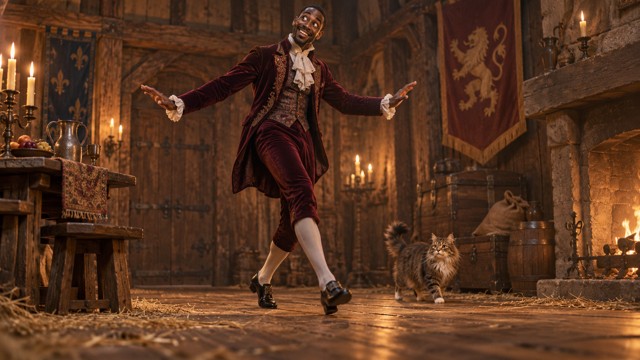
The prepared template features vintage formalwear, a cautious entrance and a mischievous expression. Your uploaded portrait supplies the lead identity. The costume and performance are guided by the preset rather than separate editing controls.
Small steps, a finger near the lips and a playful sway are part of the prepared dance direction. The preset requests a steady full-body shot. These movements are template features, and individual results can vary.

Stone walls, straw and warm candlelight describe the template’s storybook setting. The studio keeps this scene direction fixed; upload one lead portrait and choose the video length and resolution.

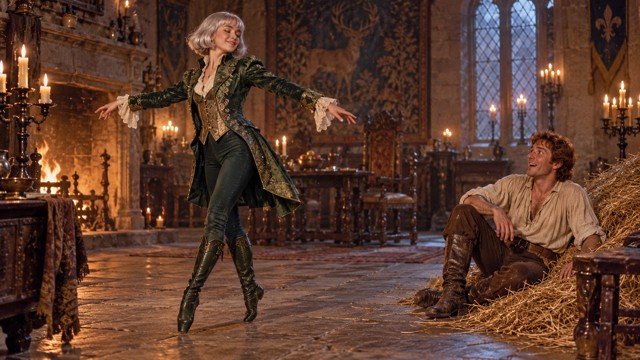
This image illustrates a fantasy variation. It is not a verified result from this studio or a selectable preset. The current editor provides one performer upload and a fixed dance template, without separate animal-character or glowing-straw settings.
Check the framing on a small screen. Keep both feet visible and leave space if you plan to add captions.
Listen to the downloaded file before sharing. Add music or sound effects in your editor using recordings you are allowed to use.
Download your result before making edits. Keep the original file so you can create a new crop or caption version later.
Upload one performer photo. The studio uploads your photo and its prepared dance template to Kling 4.0. The video guides the performance and camera movement while your photo supplies the lead identity.
No. The studio includes a prompt for a single dancer and a continuous shot. The same preset is used for every generation, while your uploaded portrait supplies the identity reference.
Choose 10, 20 or 30 seconds and either 720p or 1080p. Kling 4.0, the dance template, scene instructions and 16:9 composition are fixed. The studio does not provide prompt, costume or scene editing controls. Check the selected settings and the cost shown on the Generate button before submitting.
The editor accepts one lead performer photo. Any observer or supporting character in the template is part of the background scene; you cannot upload a second portrait to assign that person a separate identity.
Use a single person with a sharp, unobstructed face. A full-body image gives the model more information about the starting pose and clothing. Obtain permission from anyone identifiable in your upload.
Yes. The video shown in Inspirations is the same template uploaded during generation. The feature images below are scene illustrations. Your own completed videos appear in History.
Outputs can vary even with the same image and settings. Preview each attempt. If the movement is unclear, try a simpler starting pose or a clearer source image.
Open History beside the studio to check your creations. You can also open your personal center to review and download saved works.
Check credit packs or read the Kling 4.0 guide.