An Unexpected Street Cast
A new cast gives the familiar street performance a different personality. Play with sound to hear how the rhythm carries the scene.
Try your photo ↗Your Photo. Your Freestyle.
Turn one photo into your take on the Bulin 47 street freestyle. The reference clip guides the gestures and camera movement; your portrait gives the lead performer a new look. No filming or prompt writing needed.
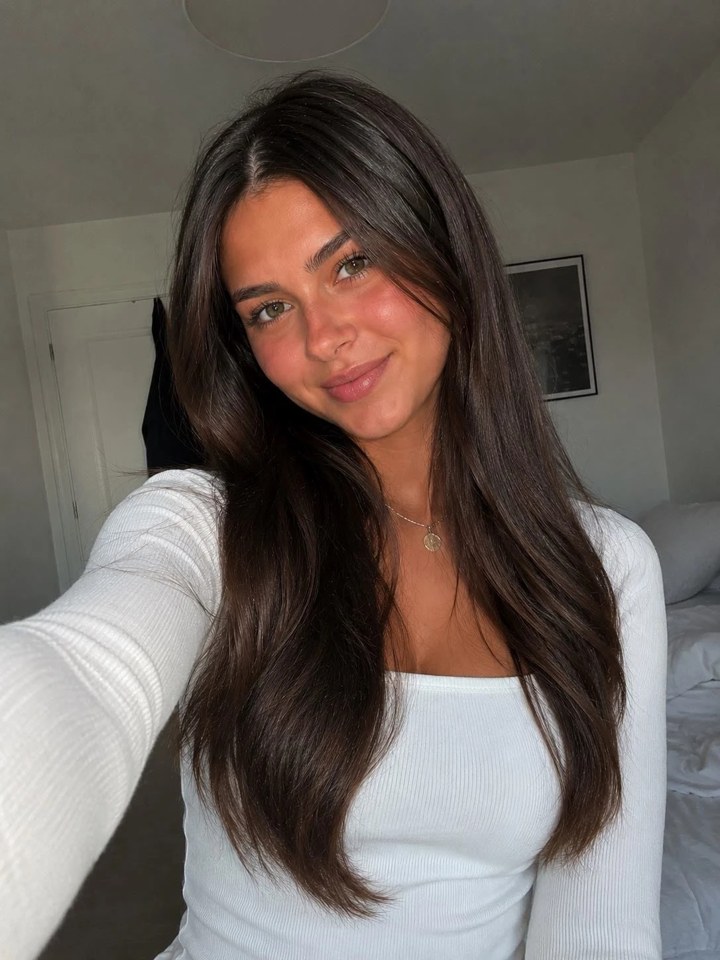
Your performer
Reference images
Recreate as a 10-second adaptation with the current generator.
10, 20 or 30 seconds · One performer photo · 720p or 1080p · 9:16 · Reference audio enabled.
Bulin 47 AI remixes put a new lead into a recognizable street freestyle. The crowd, close camera and expressive gestures set the scene. Changing the performer creates a fresh version without staging a new shoot.
This studio separates the two inputs: a prepared clip directs the performance, while your photo guides appearance. Start with a clear portrait and use the examples to understand the format. The result is a generated interpretation, so review it rather than expecting an exact copy.
Real Output
The comparison shows the idea: the Bulin 47 template plus one portrait photo. The crowd, the speaker and the camera movement provide the reference; the main performer gets a new look.
Make My Video →Freestyle Inspiration
Watch freestyle remixes with people, characters and pets. All four clips include sound—press play to listen. These inspiration examples were not generated with this page.
A new cast gives the familiar street performance a different personality. Play with sound to hear how the rhythm carries the scene.
Try your photo ↗An expressive character turns the freestyle into a comedy scene. Watch the gestures and reactions alongside the soundtrack.
Try your photo ↗A dog takes the spotlight in this playful reinterpretation. Pet movement remains an experiment; check the paws and body shape in your own result.
Try your photo ↗Hair, clothing and accessories change the feel of the lead. Listen to the beat while watching how the character moves through the shot.
Try your photo ↗Everything you need to join the Bulin 47 AI trend without filming yourself, learning the dance or opening a video editor.
Skip the shoot. A single well-lit photo with a clearly visible face is all Bulin 47 AI needs to cast you as the performer in the freestyle clip.
Character replacement uses the dance, the timing and the camera movement of the Bulin 47 video template as a reference, so your version feels like the real trend instead of a slideshow.
Every Bulin 47 AI video is exported in vertical format sized for TikTok, Instagram Reels and YouTube Shorts, so you can upload it straight from your phone.
Put yourself, a friend, your dog or an original cartoon character into the Bulin 47 AI trend. Anything with a distinct, front-facing face works best.
There is nothing to write or tweak. Pick the Bulin 47 video template, upload your photo and the AI takes care of motion transfer and blending.
Nothing is posted on your behalf. You decide whether the finished Bulin 47 AI clip is shared, and where.
Use a selfie to star in the Bulin 47 AI trend and drop the clip into your group chat before everyone else catches up.
Try With a SelfieFreestyle inspiration
See how the photo on the left becomes a new lead in the clip on the right. The crowd, the camera and the original sound provide the familiar scene; the performer changes.
Try It With Your SelfieUser photoPortrait-to-video inspiration · Example results
The cap, chains and hoodie give the performer a recognizable look. Use a photo that shows your hairstyle and outfit, then review how those details carry through the movement in your version.
Make Your Version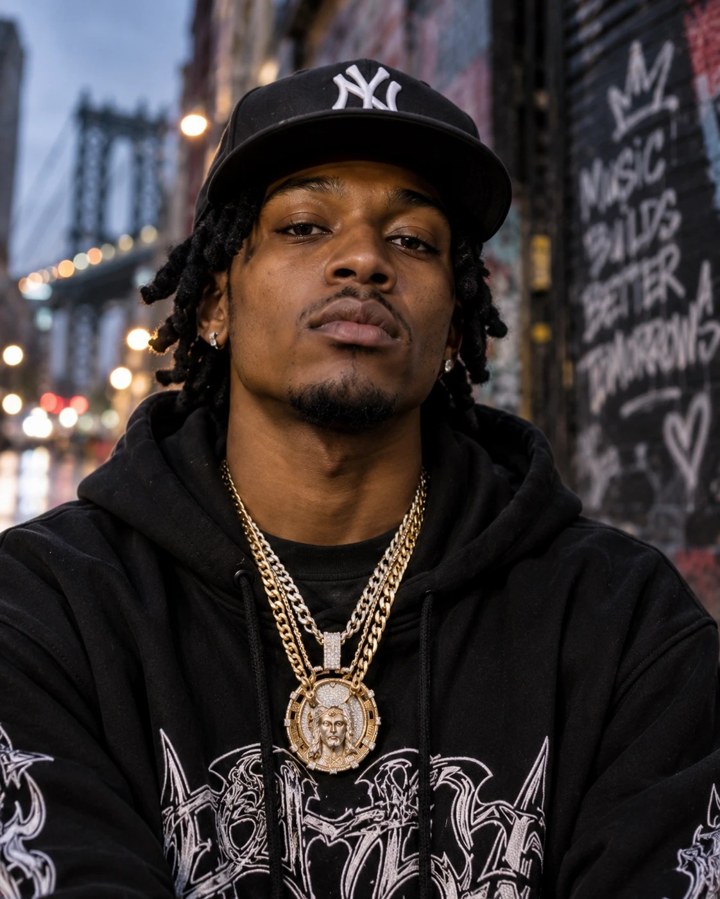 User photo
Portrait-to-video inspiration · Example results
Upload one bright, sharp portrait with the face and upper body visible. Use your own photo, an original character, or a person who has agreed to appear.
The performance reference, scene prompt and 9:16 framing are ready. Choose 10, 20 or 30 seconds and 720p or 1080p, then check the credit amount on the Generate button.
Start generation and review the complete performance when it is ready. Check the face, hands and crowd. Listen to the audio, then download your result when you are happy with it.
Bulin 47 is a Dominican dembow artist. In early October 2026 a short clip of him freestyling and dancing to a beat outside a restaurant in Spain, filmed with creator Kevin Wai, spread across TikTok and Instagram and passed tens of millions of views. The wave that followed is the Bulin 47 AI trend: people keep the original moves and rhythm but swap the performer for themselves, their friends, their pets or a character. Bulin 47 AI is a tool built to make that version in a few clicks, without filming anything.
It uses video-to-video character replacement. The Bulin 47 video template supplies the motion, the timing and the camera path, and your photo supplies the appearance of the new performer. The AI transfers the movement onto your character, blends it back into the scene and exports a vertical clip. Unlike ordinary image-to-video tools, you do not write a prompt or describe a scene, because the template already defines the whole performance.
Use a sharp, well-lit photo where the face is clearly visible and roughly facing the camera. Avoid sunglasses, heavy beauty filters, group shots and strong shadows across the face. Pets and illustrated characters work too, as long as the face is distinct. Higher-resolution photos usually give cleaner details, and a simple background helps the AI separate your character from everything else in the frame.
No. This Bulin 47 AI generator is an independent tool and is not affiliated with, endorsed by or sponsored by Bulin 47, Kevin Wai or any label. Your uploaded photo guides the new performer’s appearance, while the reference video supplies movement and may retain its original audio. Only upload photos of people who have agreed to it, and never use the tool to impersonate someone or to mislead the people who watch your clip.
Yes. Videos are exported in 9:16 vertical format, so they upload cleanly to TikTok, Instagram Reels and YouTube Shorts. When you post, label the clip as AI-generated wherever the platform asks you to, and follow each platform’s rules on synthetic media and music. You are responsible for the content you upload and the videos you choose to share.
Upload one clear portrait in the performer slot. The motion reference and scene instructions are already prepared. Choose 10, 20 or 30 seconds and 720p or 1080p, review the displayed credits, then generate a 9:16 portrait clip. Watch the finished clip before downloading.
No. This page includes the performance reference and a preset instruction that assigns your image to the lead performer. Upload your portrait and choose the duration and resolution. Use the general video editor if you want to supply a different clip or write your own instructions.
Choose 10, 20 or 30 seconds before generating. The default is 10 seconds, and the credit cost updates with your selected duration and resolution. The aspect ratio is fixed at 9:16. Inspiration clips may have a different duration from your selected output.
The included performance reference contains audio. The Kling 4.0 generation request keeps the reference audio enabled. Listen to the finished video before sharing; exact audio reproduction and perfect lip-sync are not guaranteed.
The preset asks the model to preserve the surroundings and use the source movement. Generation can still change background details, faces, hands and timing. Review the entire result; exact frame-by-frame replacement and perfect likeness are not guaranteed.
Video generation uses account credits. The editor displays the cost for your selected resolution before you submit. Check your balance and the pricing page when planning several versions.
Explore Hotel Lobby AI, make a custom scene with Kling 3.0, or check credit packs.
Choose a portrait and bring a new lead into the street performance.
Create your Bulin 47 AI video